Super Liquid Soccer: controls and tips
What Is Super Liquid Soccer?
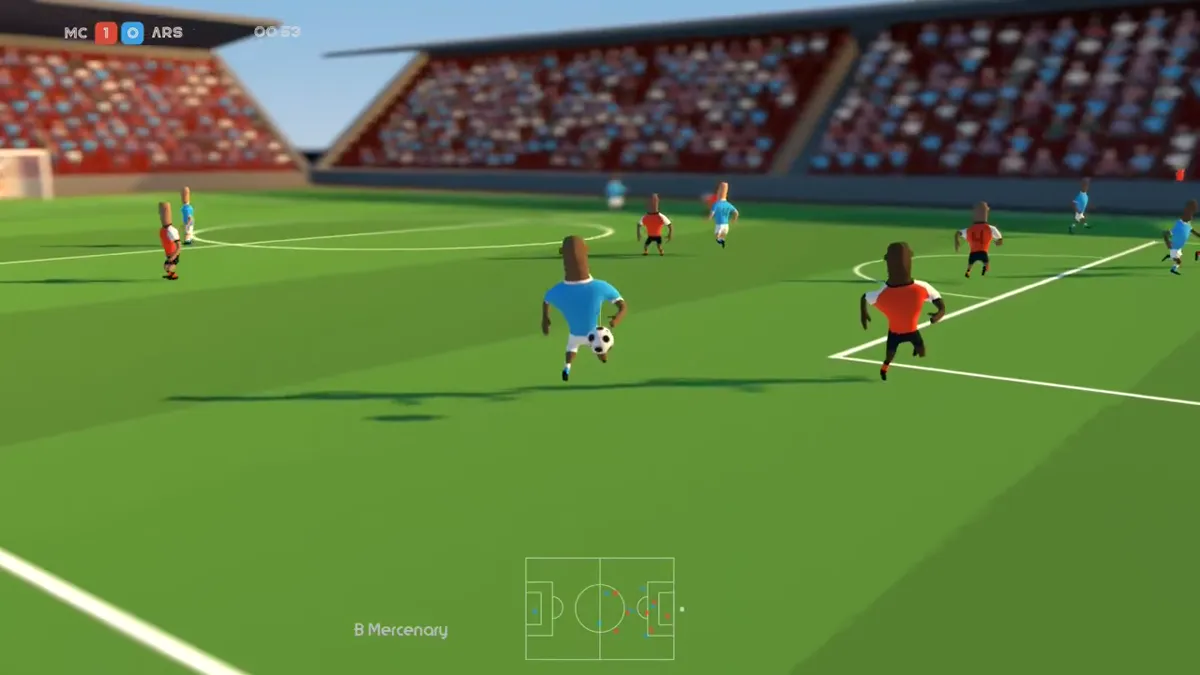
Super Liquid Soccer is a free browser-based arcade football game made by indie developer Punyrobot. It launched on Poki in May 2023 and has been quietly racking up millions of plays since. The concept is simple: real national teams, 7-a-side matches, and physics so floppy and wobbly that every pass and shot turns into controlled chaos.
The “liquid” in the name doesn’t mean water — it refers to the ragdoll physics engine that makes every player move like they’re made of rubber. Defenders flail. Strikers crumple to the ground on contact. Goalkeepers fly sideways. It’s hilarious, and it’s also surprisingly skillful once you understand the mechanics.
Quick facts:
– Developer: Punyrobot (independent developer)
– Genre: Arcade football / Sports
– Format: 7-a-side matches
– Platforms: Browser (HTML5, free) | Steam (PC/Mac, paid) | itch.io
– Published on Poki: May 8, 2023 | Last updated: June 2026
– Price: Free in-browser on Poki and game portals | Paid on Steam (app ID: 1705130)
– Mobile: Not natively available on mobile (browser-only access on mobile may work with limited functionality)
How to Play Super Liquid Soccer
Controls (PC / Keyboard)
Every portal page and the developer’s own listing confirms the same control set:
| Action | Key |
|---|---|
| Move player | W / A / S / D |
| Pass | M |
| Shoot | J |
| Chip pass | L |
| Through pass | I |
| Switch player | Q or E |
| Sprint | P or O |
Steam note: The Steam version has received reports of keyboard issues from some players who bought the game. If the game isn’t responding to keyboard input, check the Steam controller settings — the PC version has historically been better on controllers. The developer has been asked about this in the Steam Community Discussions.
Starting a Match
When you launch the game, you pick your national team from a list of real international sides. You don’t need to create an account or download anything to play in the browser.
From there, choose your game mode:
1. Select your team — real national teams are available for both men’s and women’s competitions
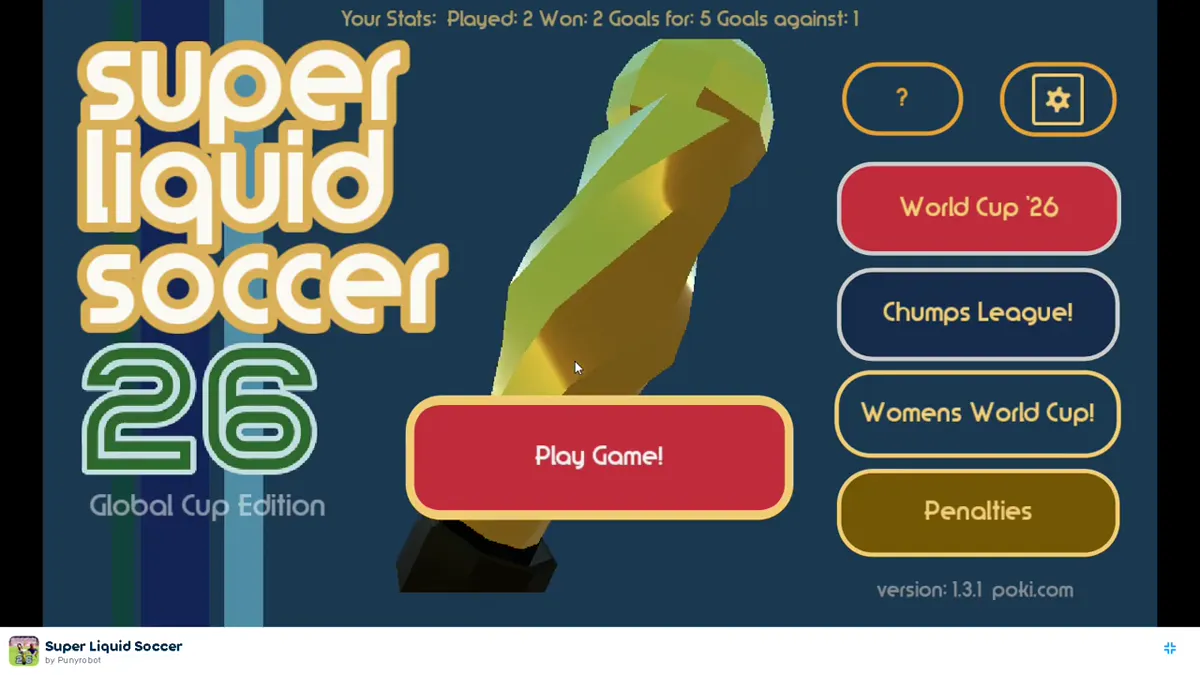
2. Pick a mode — World Cup, Chumps League, Women’s Cup, Friendly, or Penalties
3. Play — 7-a-side, first team to score wins (or the score at full time in tournament modes)
You control whichever player on your team is nearest to the ball. The game auto-selects, but you can manually switch with Q or E — and you should.
Game Modes in Super Liquid Soccer
World Cup Mode
Play through a knock-out tournament representing your nation. This is the main mode. Win matches, advance through rounds, and reach the final. Teams include the biggest soccer nations.
Women’s World Cup (Women’s Cup)
The same structure as the World Cup but played with the women’s international competition. Punyrobot included it alongside the men’s tournament from launch, which was a notable design choice for an indie game.
Chumps League
A club-style competition modeled on the Champions League format. If you want to play tournament football without the national team setup, this is your mode.
Friendly Match
Just play a quick game against any team. No tournament stakes, no pressure — good for learning the controls or testing strategies before a tournament.
Penalty Shootout
Pure shootout mode. Each penalty involves timing your shot with J and picking your direction. The goalkeeper dives based on timing and direction — you need to commit early and be decisive. Note: there’s a known bug in the Steam version where the goalkeeper sometimes flies into the air on penalty kicks. The browser version does not appear to have this issue.
Tips and Tricks: How to Actually Win
1. Use the Chip Pass (L) More Than You Think
Most new players spam the regular pass (M) and shoot (J). The chip pass is the most underused skill in the game. It lofts the ball over defenders, creates through-ball angles that flat passes can’t, and sets up better shooting positions. Use L when the direct path to a teammate is blocked.
2. Don’t Dribble in Straight Lines
The AI defenders predict linear runs. Move in L-shapes — go sideways, then forward, then switch direction. This creates separation that forward-only dribbling never will. With the ragdoll physics, a brief diagonal burst can leave an entire defensive line stumbling.
3. Sprint (P or O) in Short Bursts — Not Continuous
Holding sprint the entire time doesn’t give you an advantage. It makes your player harder to control and causes you to overshoot passes. Use sprint for 1–2 second bursts to beat a defender, then release it to regain control. Sprint into the box, release, then shoot.
4. Through Pass (I) to Unlock a Packed Defense
When the opponent is stacking defenders near the goal, a well-timed through pass (I) to a runner behind the last defender is more effective than trying to dribble through. Time it so the runner is making their move before you press I — not after.
5. Switch Players (Q or E) Defensively
Most players forget they can switch players during defense. If the AI is running toward your goal, switch to your nearest defender to cut off the angle rather than waiting for your auto-selected player to react. This is the single biggest defensive improvement most new players can make.
6. Position Before Goal — Not at the Keeper
Instead of running directly at the goalkeeper, cut diagonally to one side and shoot at an angle. Direct runs into the keeper result in blocks most of the time. Cut left, cut right, then J when the angle opens. The wobbly physics mean angled shots carry unpredictable spin the keeper struggles to read.
7. Free Kicks Are Powerful — Set Up the Angle
When you earn a free kick, don’t rush it. Move your player to create the best shooting angle, then take the shot. Free kicks bypass the defensive wall and give you a clean look at goal that’s much easier to convert than open-play chances. As the YouTube gameplay shows, two free kicks in a row is entirely achievable.
8. Penalty Shootouts: Commit and Pick a Corner
In penalty shootouts, the key is committing to a direction before you shoot. Half-hearted shots down the middle get saved. Pick a corner, aim for it, and shoot. The keeper’s dive is partly reaction-based, so a decisive corner shot gives them the least time to respond.
Where to Play Super Liquid Soccer
Free Browser Version (No Download)
The free version is available at multiple game portals. It’s an HTML5 game, meaning it runs directly in any modern browser — no plugins, no downloads, no account.
Top places to play free:
– Poki (poki.com) — the canonical version; Punyrobot’s listed publisher platform
– MeeGames — includes a structured how-to page
– Pizza Edition — good for understanding physics mechanics
– OzoGames — the most detailed guide-format portal page
Unblocked at School (Chromebook / Network Restriction)
This is one of the most-searched questions for this game. Because Super Liquid Soccer is hosted on multiple domains and game portals, you can usually find a working version even if one site is blocked on your school’s network.
Sites specifically designed for school access include CrazyGames Unblocked UK, 6X Games, Classroom Center G, and several GitLab-hosted mirror pages. The game works on school Chromebooks because it’s a browser game with no installation required. If one portal is blocked, try another — the game is identical across all of them.
Important: School networks block game sites at the domain level, not the game level. If a portal is blocked, switching to a different portal URL usually bypasses the block. The game itself runs locally in your browser once the page loads.
Steam Version (PC/Mac/Linux)
The Steam version (App ID: 1705130) is a paid download. Based on Steam Community discussions, it offers the same gameplay as the browser version with some additional features, but as of 2026 players have noted:
- Keyboard support has had issues on some setups — check controller settings if keys aren’t responding
- Online multiplayer is not yet a built-in feature (frequently requested in Steam discussions)
- Mac and Linux support was in progress based on Punyrobot’s Steam page language; check current Steam listings for the latest status
itch.io
Punyrobot also has a listing on itch.io for those who prefer that platform over Steam for indie games.
Is Super Liquid Soccer Multiplayer?
This is the most common question asked in Steam discussions. The current browser version is single-player — you play as one team, the AI controls the other.
Two-player on one keyboard: Some sites claim two-player local co-op exists, but this is inconsistently reported across portals. The standard control setup uses keys spread across the keyboard (WASD + MJLI on right side), which makes sharing one keyboard awkward.
Online multiplayer: There is no official online multiplayer mode. Multiple Steam Community users have requested it, and the developer has received this feedback. Whether it becomes available in a future update depends on Punyrobot’s roadmap.
Common Questions Answered
Is Super Liquid Soccer the same as “Liquid Soccer”?
Yes — some portals label it “Liquid Soccer” but it’s the same game by Punyrobot. “Super Liquid Soccer” is the official title.
What’s the difference between Super Liquid Soccer 24, 25, and 26?
These are not separate games. They’re the same game with some portals adding the current year to their page titles for SEO. The game itself is continually updated (last updated June 2026 per Poki’s listing).
Can I play Super Liquid Soccer on my phone?
The browser version may open on a mobile browser, but it’s designed for keyboard controls. Without WASD and action keys, the gameplay experience on mobile is severely limited. There’s no official mobile app.
Who made Super Liquid Soccer?
Punyrobot, an independent game developer. Super Liquid Soccer was their first game published on Poki.
Is there a women’s team in the game?
Yes. The Women’s World Cup (Women’s Cup) mode includes women’s national teams and runs on the same gameplay as the men’s tournament.
FAQ — Super Liquid Soccer
What is Super Liquid Soccer?
Super Liquid Soccer is a free browser arcade football game by indie developer Punyrobot. It features 7-a-side matches with ragdoll/”liquid” physics, real national teams, and five game modes including World Cup, Women’s Cup, Chumps League, Friendly match, and Penalty shootout.
How do you play Super Liquid Soccer?
Use WASD to move, M to pass, J to shoot, L to chip, I for through pass, Q/E to switch players, and P/O to sprint. No download is needed — play directly in your browser for free.
Is Super Liquid Soccer free?
Yes, it’s completely free on browser platforms including Poki, MeeGames, and dozens of game portals. The Steam version requires a purchase.
Can I play Super Liquid Soccer unblocked at school?
Yes. Because the game is hosted on multiple browser game portals, you can usually find a version that isn’t blocked on your school’s network. It works on school Chromebooks. Try Poki, Pizza Edition, or one of the dedicated unblocked game portals if one site is blocked.
Does Super Liquid Soccer require a download?
No. The browser version is an HTML5 game that loads and plays entirely in your browser without any download or installation. The Steam version does require a download.
Is Super Liquid Soccer online multiplayer?
Not currently. The game is single-player (you vs. AI). Online multiplayer has been frequently requested on Steam, but no official online mode is available as of 2026.
How many players are on each team?
7 players per team — it’s 7-a-side football, not the full 11-a-side.
Who created Super Liquid Soccer?
Punyrobot, an independent developer. Super Liquid Soccer is listed as their first game on Poki, published May 2023.
Can I play Super Liquid Soccer on mobile?
Not officially. The game uses keyboard controls (WASD + action keys) that don’t translate to mobile touchscreens. A mobile browser may load the game, but it isn’t properly playable without a keyboard.
What does “liquid” mean in Super Liquid Soccer?
“Liquid” refers to the ragdoll/wobbly physics engine. Players move with exaggerated floppy animations — they stumble, flail, and tumble rather than moving like traditional soccer game players. This creates the unpredictable, chaotic feel that makes the game distinctive.

